
Overview
My Role
Senior UX/UI Designer (oRo Thailand in partnership with Hakuhodo)
Teams
Archawin
Junior UX/UI Designer
Pitchayapak
Art Director
Client
FWD Insurance
Platforms
Mobile-First Web Application (Responsive)
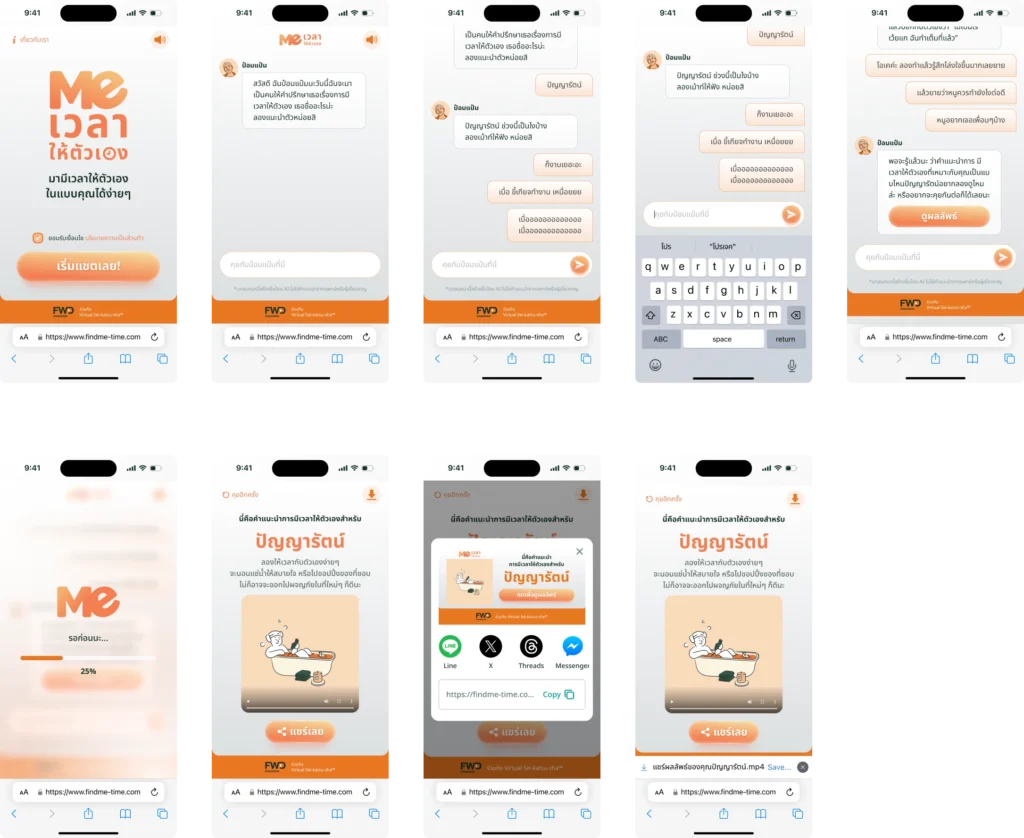
Modern living leaves little room for self-reflection. “MeTime” was conceived as an interactive, AI-powered conversational web companion designed to help users discover personalized relaxation and mindfulness activities. Through an organic, empathetic chat journey, the system gathers personal parameters to generate customized activity recommendations and tailored video outputs.
/ The Core UX & Interaction Challenges:
- Robotic Repetition & Fatigue: Avoiding rigid survey-like questioning while ensuring the AI collects essential parameters (mood, time availability, preferred activity types).
- Handling Ambiguous Thai Input: Managing open-ended and colloquial responses (such as “anything”, “not sure”, or slang) without getting users stuck in repetitive loops.
- AI Latency & Heavy Processing: Generating custom voice tokens and video presets takes time; unmanaged wait times lead directly to bounce and abandonment.
- Session Interruption & Edge Cases: Handling inactive chat timeouts, non-blocking error recovery, and cache consistency across repeated device sessions.
Key UX Solutions & Design Decisions
A.
Empathetic Conversation Design (CUX Architecture)
- Single-Question Focus: Restructured conversation prompts to deliver one clear inquiry per chat bubble, eliminating user cognitive fatigue.
- Smart Fallback Suggestion Chips: When users show indecision, the interface dynamically surfaces interactive quick-reply pills instead of repeating the same prompt.
- Contextual Memory: The AI actively remembers and references the user’s name and previous statements, reinforcing trust and dialogue continuity.
B.
Expectation & Latency Management
- Progressive Feedback Microcopy: Replaced static spinners with animated, storytelling loading copy (e.g., “Analyzing your mood…”, “Curating your ideal MeTime moment…”) to maintain active engagement during asset generation.
- Graceful Timeout Recovery: Designed polite timeout alerts and one-tap conversation restart states to recover abandoned sessions without friction.
C.
Frictionless Result Delivery & Social Sharing
- Personalized Video Result Hub: Designed an inspiring result page featuring an embedded customized video, activity summary cards, and practical well-being tips.
- One-Tap Viral Sharing: Mobile-optimized social share buttons with pre-rendered open-graph preview cards for smooth cross-platform sharing.
User Flow
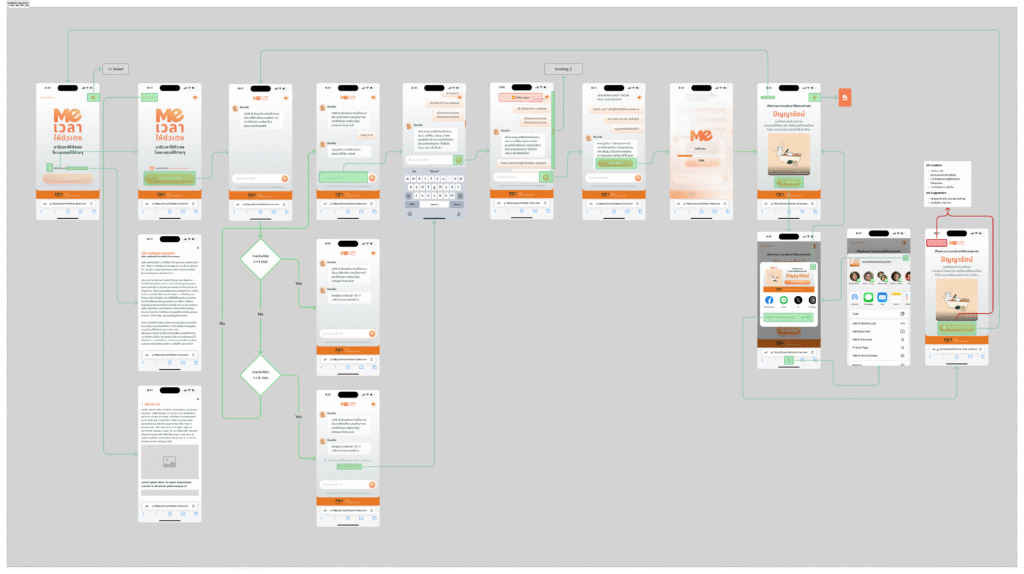
We designed the chat flow with simply process to help users enjoy the chat and feel like normal chat application but the Userflow must be less task and minimum activity to reducing cognition load and confusion.
UX (User Experience) Strategy
User Journey
- Onboarding: Quick entry into the chat without complex setup.
- Interaction: Natural language processing (NLP) focus where the UI “recedes” to let the conversation take center stage.
- Retention: Personalized history and memory features t
Key UX Principles
- Minimalism: Reducing cognitive load by hiding secondary features in collapsible menus.
- Responsiveness: Ensuring the chat experience is fluid across both desktop and mobile web views.
Wireframe
Design Decisions & Psychological Principles.
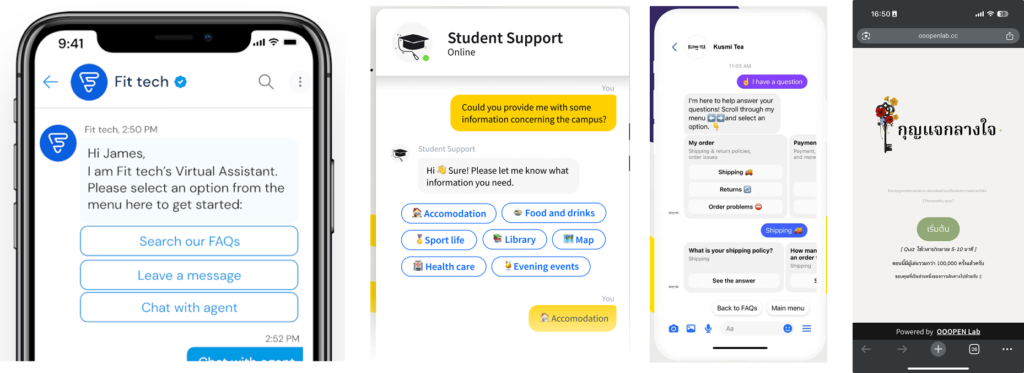
To ensure MeTime felt like a natural extension of the user’s daily life, I applied Jakob’s Law by utilizing a familiar messaging framework. To combat the ‘blank page syndrome’ often found in AI tools, I leveraged Hick’s Law by providing three contextual ‘Quick Starts’ above the input bar, reducing the cognitive load required to begin a conversation.
User Flow (User Testing)


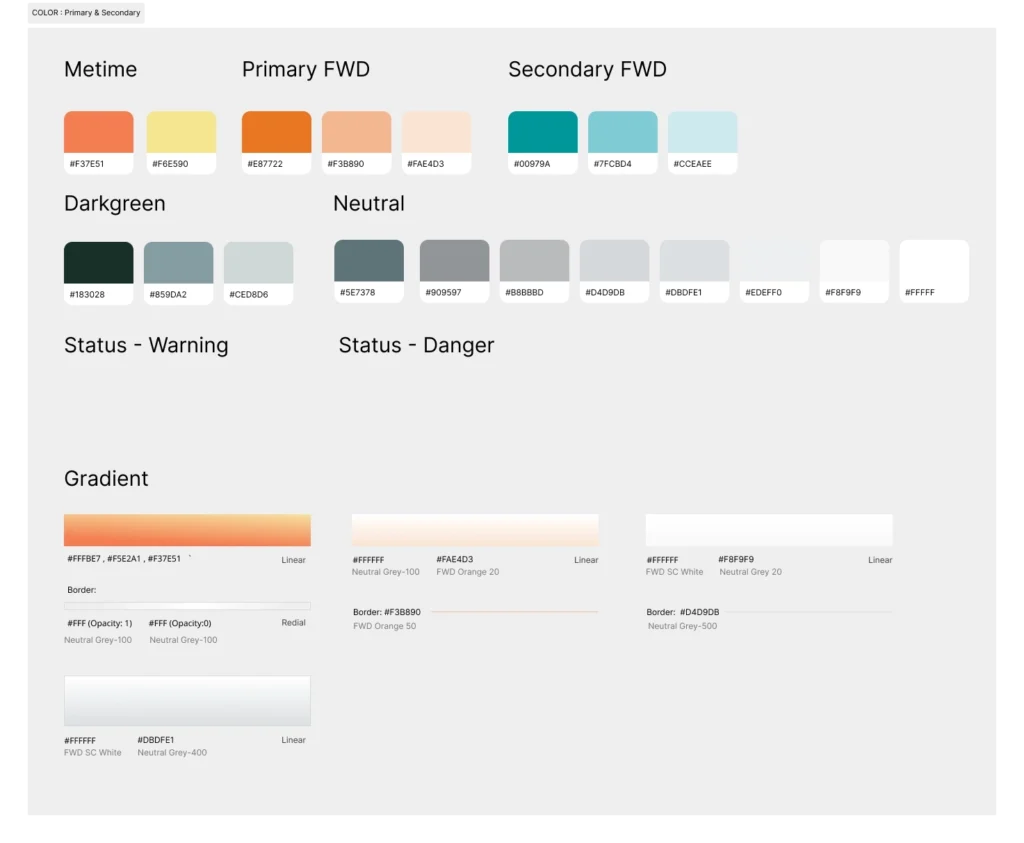
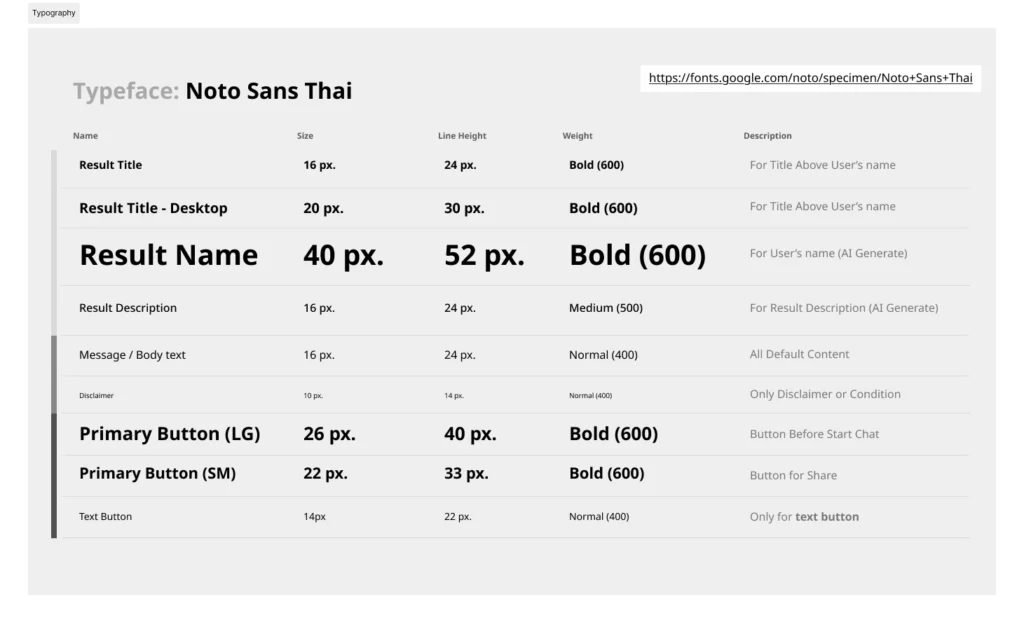
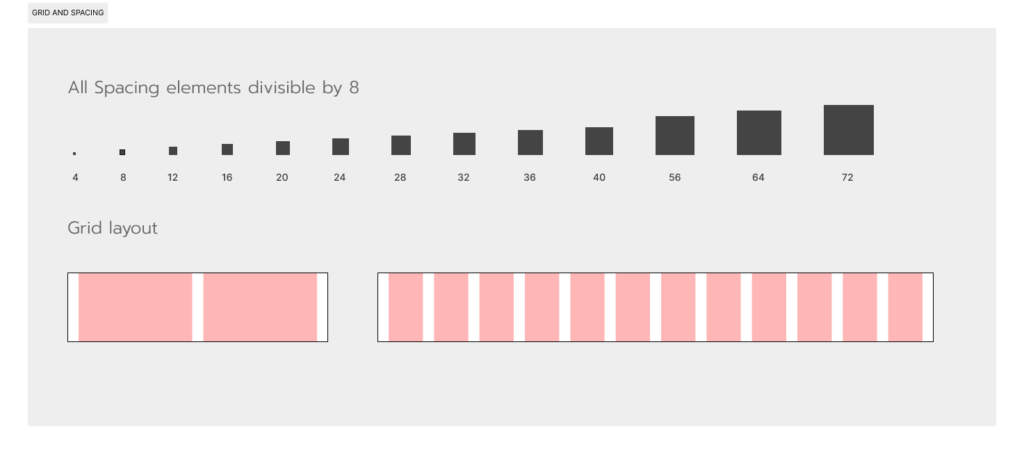
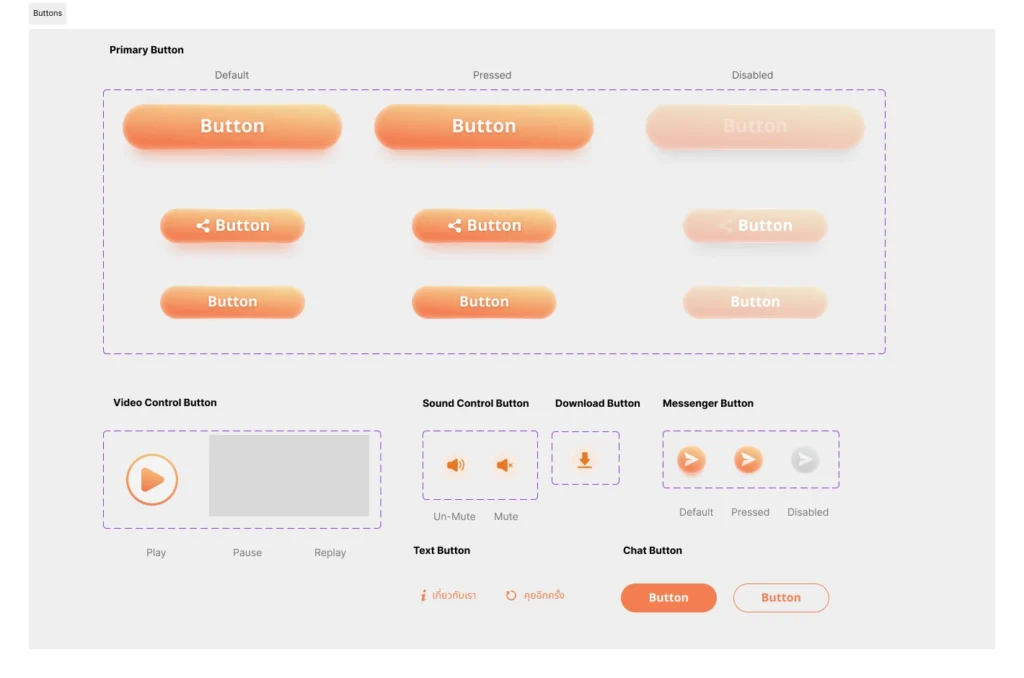
Design System
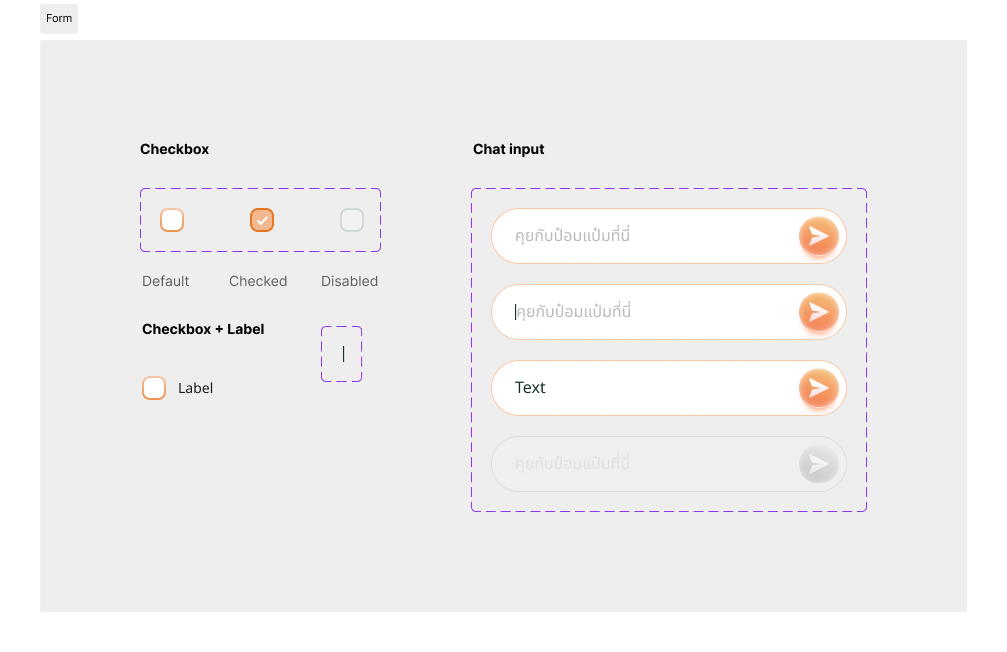
Application Flow
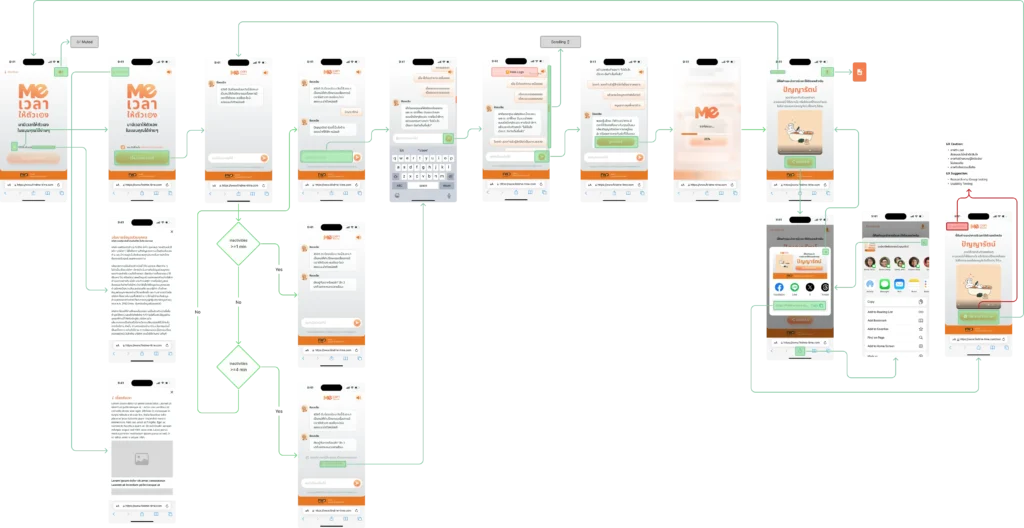
Screen UI